Your "Private" Teams Channel Isn't a Security Boundary


Your "Private" Teams channel isn't private from admins. And after Copilot, the distinction matters more than you think.
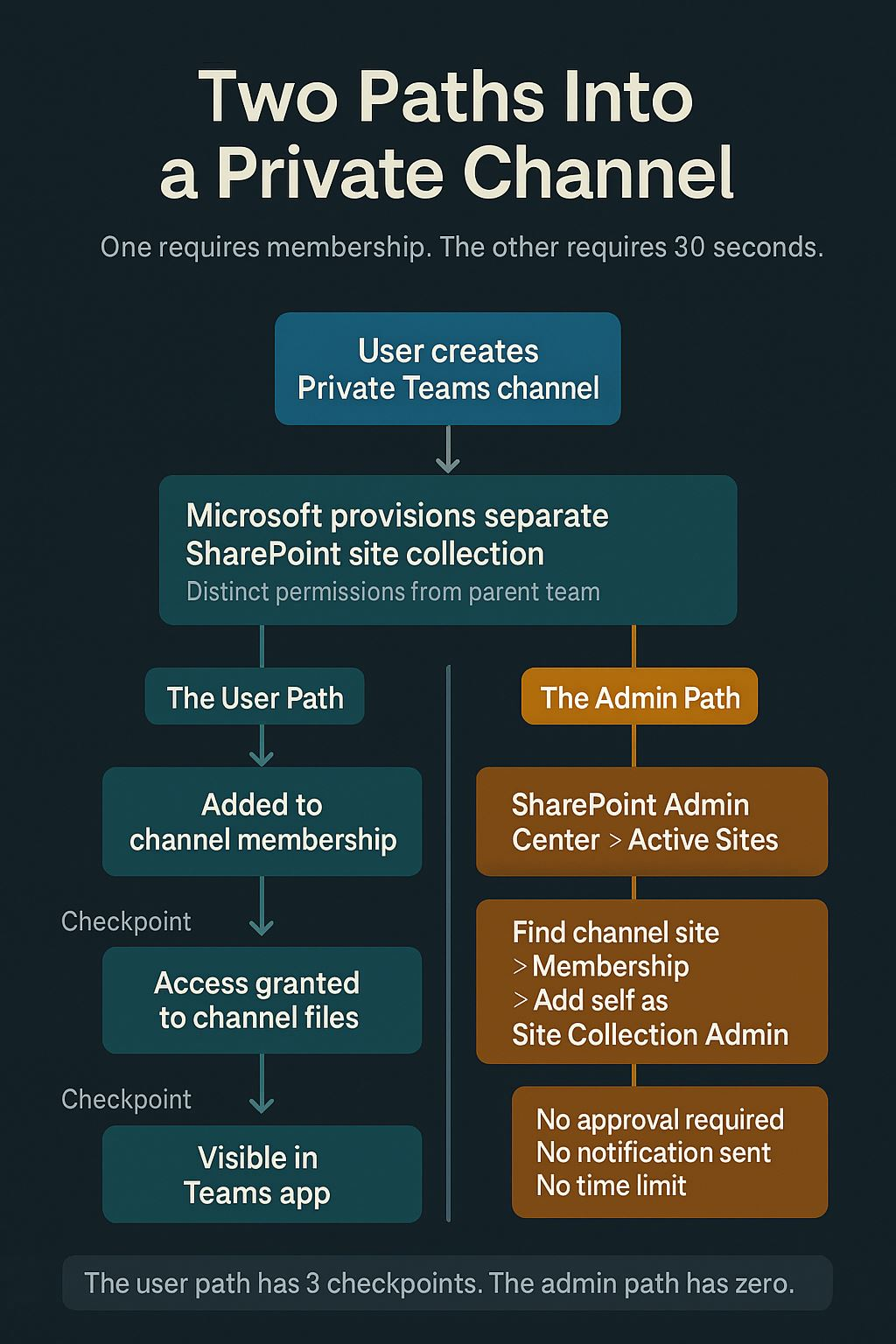
A Private Teams channel creates a separate SharePoint site collection. By default, not even Global Admins have access to it. That sounds secure. It's the reason HR puts sensitive employee files there, Legal shares privileged documents there, and executives use it for confidential strategy discussions.
But anyone with Global Admin or SharePoint Admin can grant themselves Site Collection Administrator on that site. At any time. No approval required. No notification to channel members. No audit trail that users can see. One click.
This isn't a bug. It's the architecture. And it creates a gap between what users believe "Private" means and what the platform actually enforces.
This issue walks through how to close that gap – the admin center configuration, the PowerShell to audit it, and the governance questions your org should answer before Copilot makes the gap visible.
The architecture of "Private"
When you create a Private channel in Teams, Microsoft provisions a separate SharePoint site collection – distinct from the parent team's site. Membership is restricted to the people explicitly added to that channel.
That separation is real. Standard team members cannot see the private channel's files. The SharePoint site has its own permissions. So far, so good.
The problem is what happens one layer up. A Global Admin or SharePoint Admin can navigate to SharePoint Admin Center > Active Sites, find the private channel's site, and add themselves as Site Collection Administrator. The process takes about 30 seconds.
In SharePoint Admin Center, go to Active Sites. Private channel sites appear with a naming convention: the parent team name followed by the channel name. Select the site, click Membership, and add any admin account as Site Collection Administrator.
There is no approval workflow. There is no notification to the private channel's members. The action is logged in the Unified Audit Log – but only if someone knows to look for it and is actively monitoring.
The PowerShell version is equally straightforward:
Set-SPOUser -Site "https://tenant.sharepoint.com/sites/TeamName-ChannelName" -LoginName admin@tenant.com -IsSiteCollectionAdmin $trueOne line. Full access. Every file in that private channel is now visible to that admin.
Why this matters now
Before Copilot, this was a theoretical risk. An admin had to know the channel existed, find the site, and deliberately grant themselves access. Manual, intentional, and relatively rare.
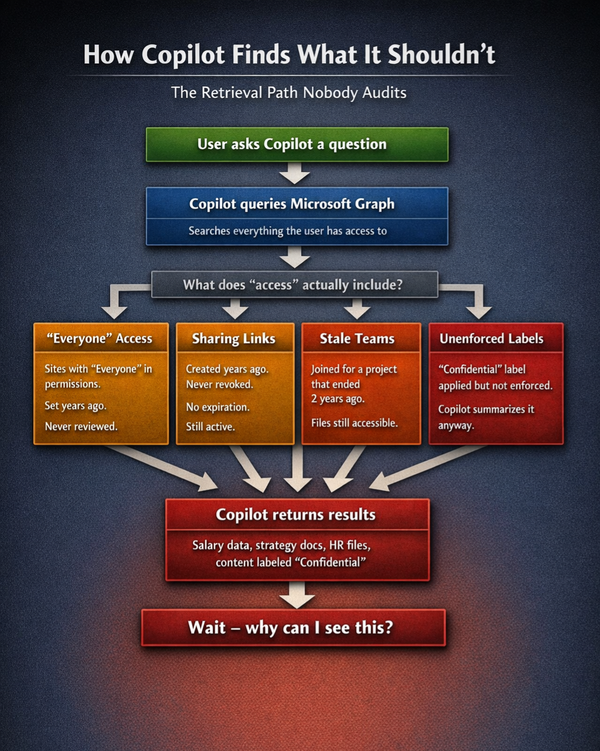
After Copilot, the calculus changes. If an admin already has Site Collection Administrator access on a private channel site – whether they granted it to themselves six months ago for troubleshooting and forgot to remove it, or a service account was provisioned with broad access during tenant setup – Copilot will surface content from that site in search results, summaries, and answers.
The admin doesn't need to go looking. Copilot brings it to them.
This also applies to service accounts. If a service account has Site Collection Admin on every site in your tenant – a common pattern for backup, eDiscovery, or migration tools – and that account is licensed for Copilot, the AI can access every private channel in your organization.
How to audit standing admin access
The first step is understanding who currently has elevated access across your tenant's private channel sites.
This PowerShell script identifies every private channel site and lists its Site Collection Administrators:
Get-SPOSite -Limit All -Template "TEAMCHANNEL#1" | ForEach-Object {
  $site = $_
  Get-SPOUser -Site $site.Url -Limit All | Where-Object {
    $_.IsSiteAdmin -eq $true
  } | Select-Object @{n='Site';e={$site.Url}}, LoginName, DisplayName
}
The TEAMCHANNEL#1 template filter isolates private channel sites specifically. Run this and review the output. Any account that appears across multiple private channel sites and isn't a channel member deserves scrutiny.
The question to answer: who has Site Collection Administrator access on private channel sites, why, and when was that access last reviewed?
How to monitor admin self-elevation
The Unified Audit Log captures when someone adds themselves as Site Collection Administrator. The activity to search for is "Added site collection admin."
In the Microsoft Purview compliance portal, go to Audit > Search. Set the activity filter to "Added site collection admin" and the date range to the past 90 days.
The PowerShell approach for programmatic monitoring:
Search-UnifiedAuditLog -StartDate (Get-Date).AddDays(-90) -EndDate (Get-Date) -Operations "Add-SPOUser" -ResultSize 5000 | Where-Object {
  $_.AuditData -like '*IsSiteAdmin*true*'
} | Select-Object CreationDate, UserIds, AuditData
If this returns results for private channel sites, someone has been granting themselves access. The question is whether that access was authorized, time-limited, and subsequently removed.
For ongoing monitoring, consider creating an alert policy in Purview: Security & Compliance > Alert policies > New alert. Set the activity to "Added site collection admin" and route notifications to your security team.
The governance question underneath
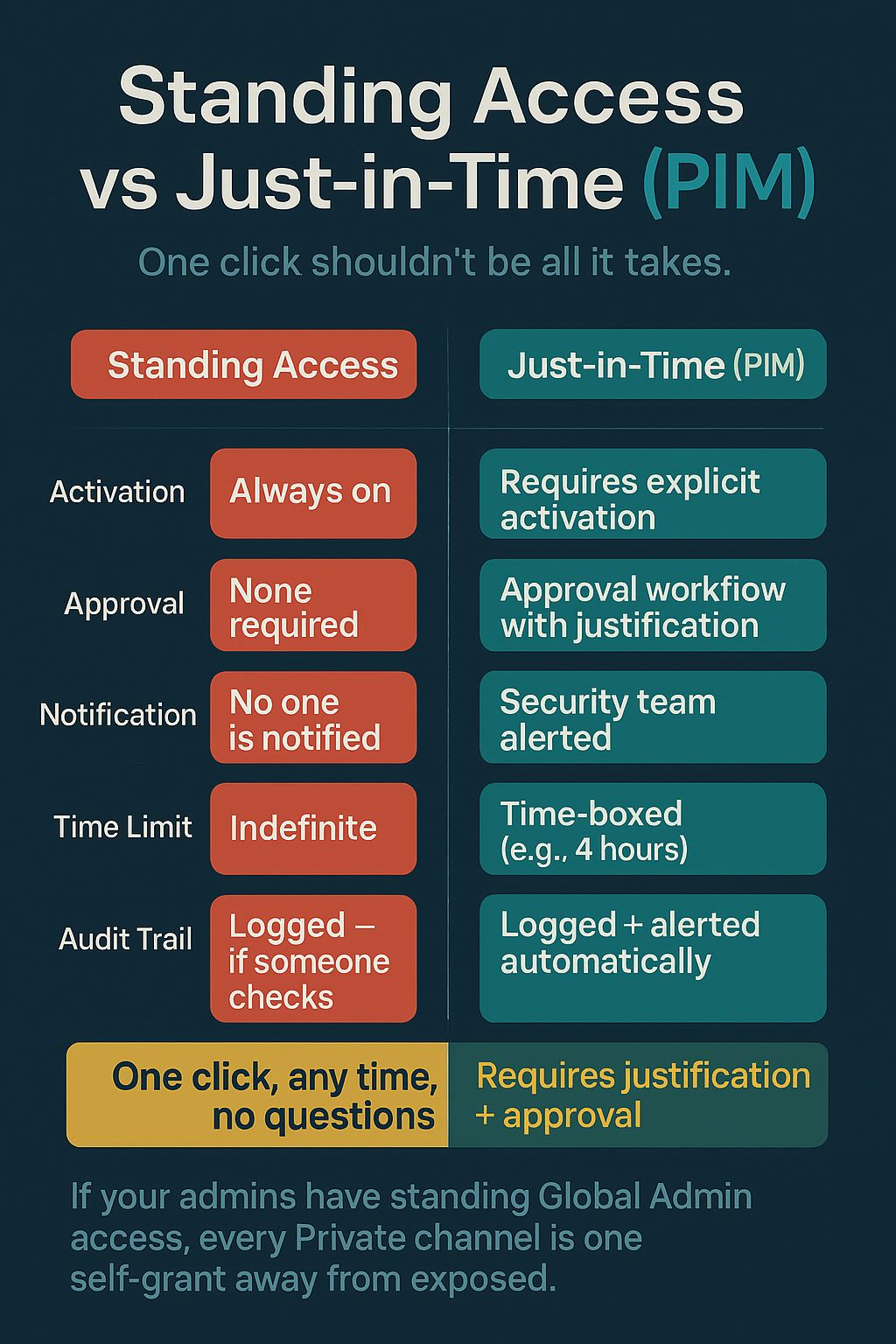
The technical controls exist. PIM can require approval for Global Admin activation. The Unified Audit Log records self-elevation. Alert policies can notify security teams in real time.
But none of that matters if your organization hasn't answered these questions:
- How many accounts have standing Global Admin or SharePoint Admin? Is any of that access always-on, or is it all just-in-time through PIM?
- Is there an approval workflow for admin role activation, or can admins self-activate without oversight?
- Who monitors the Unified Audit Log for admin self-elevation on private channel sites?
- Are service accounts with broad SharePoint access licensed for Copilot? Should they be?
- Have you communicated to users what "Private" actually means in your environment?
The last question matters more than it seems. If HR is storing sensitive employee data in a Private channel because they believe "Private" means no administrator can access it, that's a trust gap your organization owns. The fix isn't just technical – it's communication.
As one commenter on the original LinkedIn post put it: "Minimize the number of Global Admins and use them only as break-glass accounts in most cases." That's the right instinct. Standing admin access with no PIM means every Private channel is one self-grant away from exposed.
One thing to do this week
Run the TEAMCHANNEL#1 PowerShell query above. Count how many non-member accounts have Site Collection Administrator access on your private channel sites.
If the number is greater than zero, ask when that access was granted and whether it's still needed.
That's your starting point for the PIM conversation.
What Vendors Won't Tell You is published fortnightly. If someone forwarded this to you, you can subscribe at https://what-vendors-wont-tell-you.ghost.io.
If you found this useful, the most helpful thing you can do is forward it to one CISO or IT leader who's deploying Copilot.