The Copilot Readiness Assessment Your MSP Won't Scope

Five months ago, I started writing about what vendors won't tell you about Microsoft 365 Copilot.
Not best practices. Not implementation guides. The uncomfortable stuff — the permission debt nobody cleaned up, the sensitivity labels nobody enforced, the governance gaps that Copilot doesn't create but makes impossible to ignore.
100,000 impressions later, the pattern is clear: IT leaders don't need more solutions. They need someone to name the problem first.
Every post that performed — the ones that got saved, shared, and commented on by CISOs and IT Directors — had the same thing in common. It said the thing that everyone in the room was thinking but nobody was saying out loud.
This issue is no different.
Because the readiness assessment your MSP is pitching? It's not scoping the thing that will actually break.
I Helped Build That Playbook
I spent 18 years at two MSPs before going in-house. One of them I helped build from scratch. I consulted across healthcare, finance, legal, real estate — every vertical with something to lose.
I know how readiness assessments get scoped. I know what makes it into the deliverable. And I know what gets cut because the client won't pay for it, the timeline doesn't allow it, or the MSP doesn't have the institutional context to even ask.
Now I'm on the other side. I'm the in-house IT Manager receiving these assessments. The view is different from this seat.
The Typical Assessment
Here's what a Copilot readiness assessment usually covers:
- License audit — who has what, who needs what, what's the cost delta
- Tenant health check — Secure Score review, basic hygiene items
- High-level SharePoint inventory — "You have 400 sites. Here are the ones with the most content."
- Findings report — 3-5 recommendations with severity ratings
- A follow-up SOW — the remediation engagement, scoped and priced
Scoped to 20-40 hours. Delivered in a week or two. The deliverable looks comprehensive. The client checks the box.
Here's the problem: it's designed to identify enough problems to justify the next engagement. That's not a criticism — it's how professional services economics work. Speed is what the client wants, and speed is what gets scoped.
What It Skips
The entire governance lifecycle layer. The part that takes months, not hours.
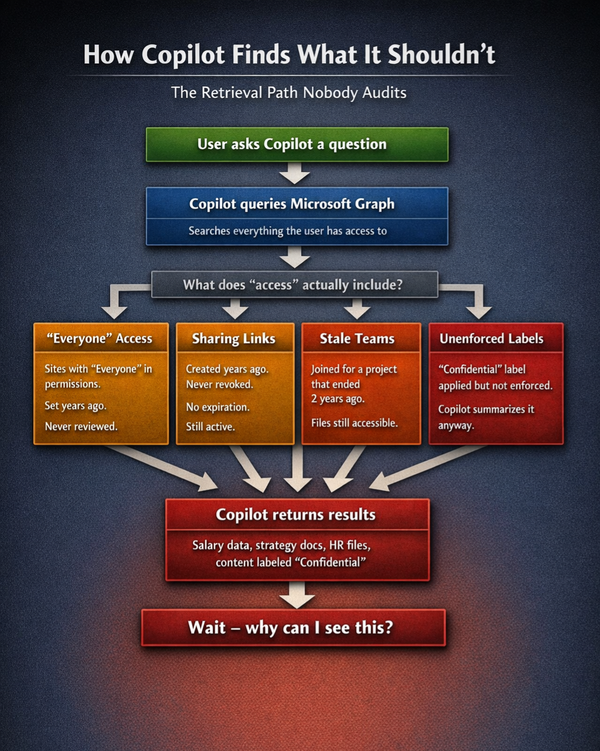
Permission inheritance across hundreds of sites. SharePoint permission inheritance is the silent amplifier behind most Copilot exposure. A single broken inheritance on a department site can grant access to every subfolder and document beneath it. A 20-hour assessment doesn't have time to crawl inheritance chains across 200+ sites. It flags the top-level count and moves on.
What this means for Copilot: when a user asks Copilot "show me the Q3 budget," Copilot searches every site, folder, and file that user has access to. If permissions were inherited incorrectly three years ago on the Finance site, Copilot surfaces that budget to anyone with access to the parent — which might be the entire department. Or the entire org.
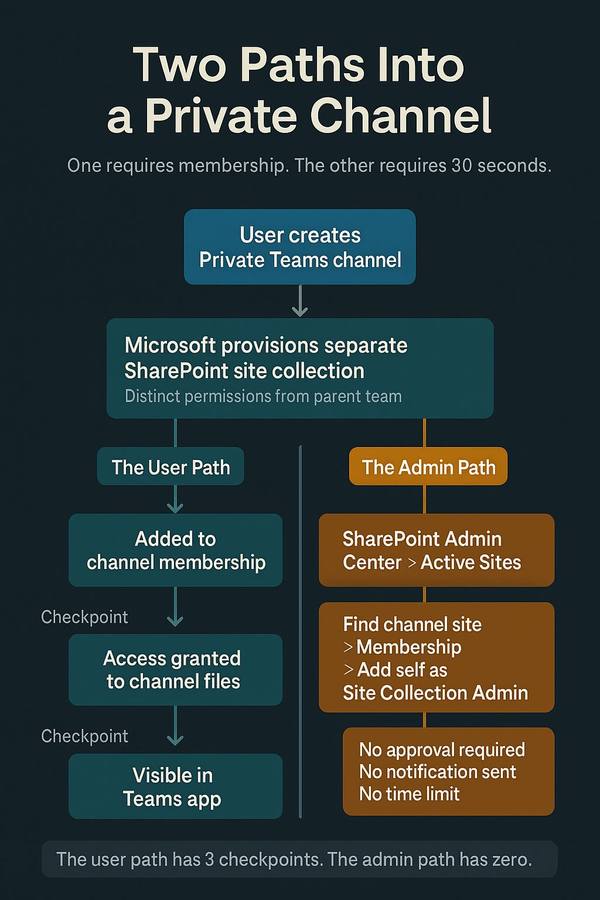
Stale Teams memberships from years ago. Every Teams channel is a SharePoint site. Every member of that channel has permissions to that site's document library. When someone joins a project team for a 6-week engagement and nobody removes them afterward, they retain access to every file uploaded to that channel — forever.
A readiness assessment counts your Teams. It doesn't audit who's still a member of channels they haven't opened in two years. That's a lifecycle governance problem, and it's not in any 20-hour scope.
Sensitivity labels published but never enforced. Many orgs have sensitivity labels deployed. The assessment confirms they exist. What it doesn't check: Are they applied? Are they applied correctly? Is "Confidential" actually restricting access, or is it just a visual label with no policy behind it?
I wrote about this in a recent LinkedIn post — a sensitivity label without an enforced policy is a sticker, not a security control. Assessments count labels. They don't test enforcement.
Sharing links with no expiration. SharePoint sharing links are one of the most common Copilot exposure vectors. A link created in 2021 for a one-time vendor review is still active in 2026. The assessment might flag that sharing links exist. It won't audit 5 years of link history to find the ones that should have expired.
Meeting transcript access. Copilot meeting transcripts default to the organizer's OneDrive. That sounds locked down — until someone shares the transcript, moves it to a SharePoint site, or posts it in a Teams channel. Once it moves, standard SharePoint permissions apply. Your 1:1 with HR is now searchable by anyone with access to wherever that file landed.
Transcript governance isn't in any readiness assessment I've seen. Most assessments don't even mention meeting content as a data surface.
The Real Math
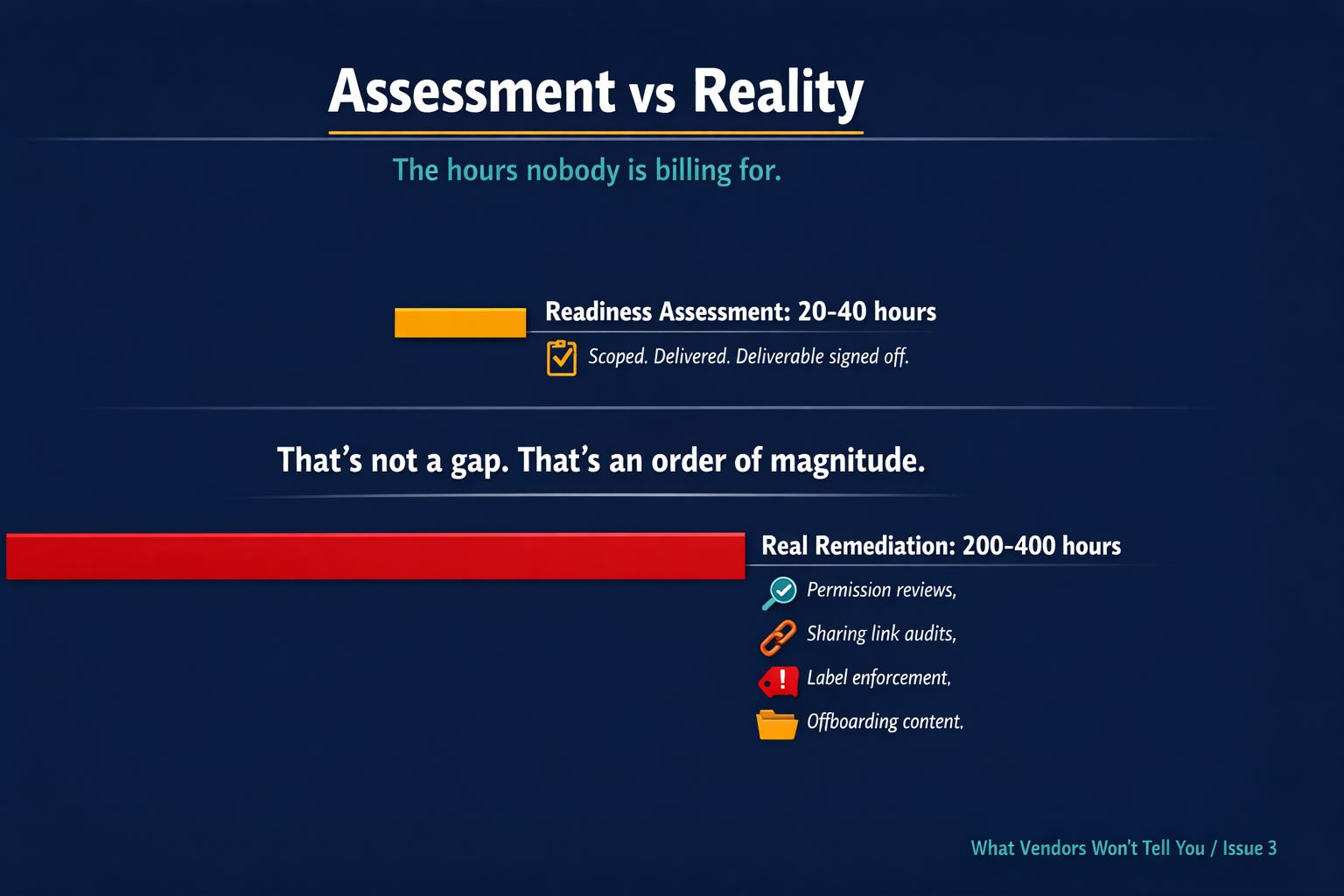
A typical readiness assessment: 20-40 hours.
Real Copilot permission remediation for a mid-size org (500-2,000 users): 200-400 hours.
That's not a gap. That's an order of magnitude.
The assessment finds surface-level problems. The remediation SOW fixes some of them. The lifecycle governance that prevents them from recurring — the ongoing permission reviews, the sharing link audits, the sensitivity label enforcement monitoring, the offboarding content audits — that's not in any contract.
It's not in the MSA. It's not in the SOW. It's not in the QBR.
Nobody is billing hours for Copilot governance. So nobody is doing it.
Why This Isn't the MSP's Fault
I want to be clear: this isn't about bad MSPs. I built these assessments. I know the constraints.
- The client wants speed. The MSP scopes to what the budget allows.
- The deliverable has to land in a timeline that justifies the cost.
- The engineers rotating through 12 clients a week cannot hold the institutional context needed to make governance decisions.
The structural problem is this: Copilot governance requires institutional knowledge — the "why" behind the permissions — and that only lives inside the org.
An MSP can tell you that 400 SharePoint sites exist. They can't tell you which ones contain data that would be a problem if Copilot surfaced it to the wrong person. That requires knowing your business. What's sensitive. Who should see what. Why the Finance folder has the access it has.
That context doesn't transfer in a managed services engagement. It never has. Before Copilot, it didn't matter — nobody was querying that data with natural language. Now they are.
What to Actually Check
If your org has completed a Copilot readiness assessment (or is about to), here's the audit behind the audit:
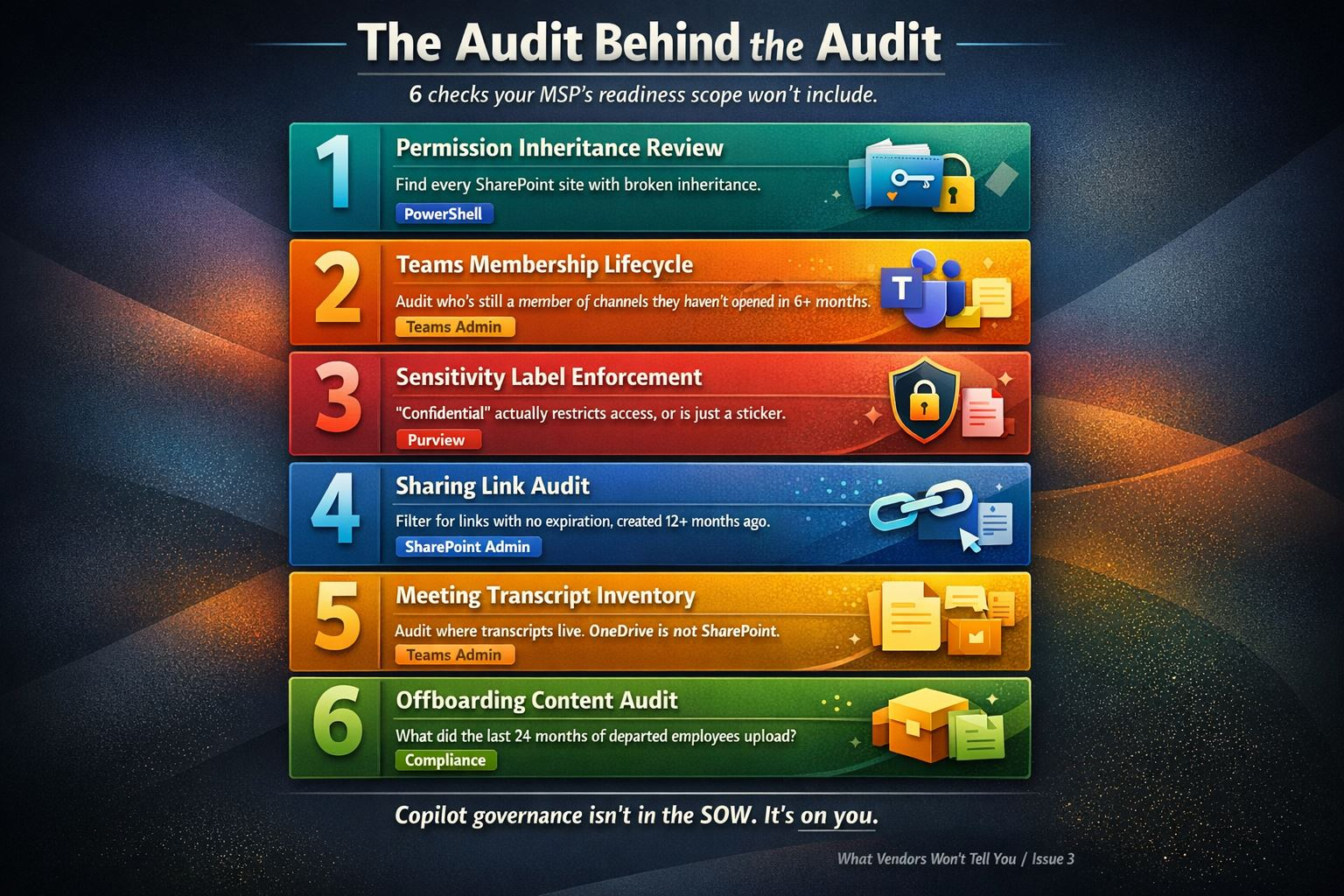
1. Permission inheritance review
- Pull the SharePoint permission report across all sites
- Flag every site with broken inheritance
- For each break, identify who has access and whether it's intentional
- PowerShell:
Get-PnPWeb -Includes HasUniqueRoleAssignmentsacross your site collection
2. Teams membership lifecycle
- Export Teams membership for all teams
- Compare against active project assignments
- Flag any member who hasn't posted or accessed the channel in 6+ months
- This is the one that consistently surprises orgs — the stale membership count is always higher than expected
3. Sensitivity label enforcement
- Don't just confirm labels are published. Confirm they're enforced.
- Check: Does "Confidential" actually restrict access? Or is it metadata with no policy?
- Test it: Apply "Confidential" to a document, then try to access it as someone who shouldn't be able to. If they can still open it, your label is a sticker.
4. Sharing link audit
- Pull the sharing link report from SharePoint Admin Center
- Filter for links with no expiration date
- Filter for links created more than 12 months ago
- Prioritize: links pointing to sites with sensitive content (HR, Finance, Legal, Executive)
5. Meeting transcript inventory
- Check Teams Admin Center for transcription/recording policies
- Identify which meetings are generating transcripts
- Audit where those transcripts live — OneDrive (relatively safe) vs SharePoint/Teams (permission-inherited)
- Decide: which meetings should have transcription enabled, and where should those files live?
6. Offboarding content audit
- For every employee who left in the past 24 months: what files did they upload to SharePoint?
- What documents did they share to Teams channels?
- Who owns those files now?
- This is the check that virtually no offboarding process includes — and it's the one Copilot makes visible overnight
The Bottom Line
A readiness assessment completed in a week is not a readiness assessment. It's a qualified lead with a deliverable attached.
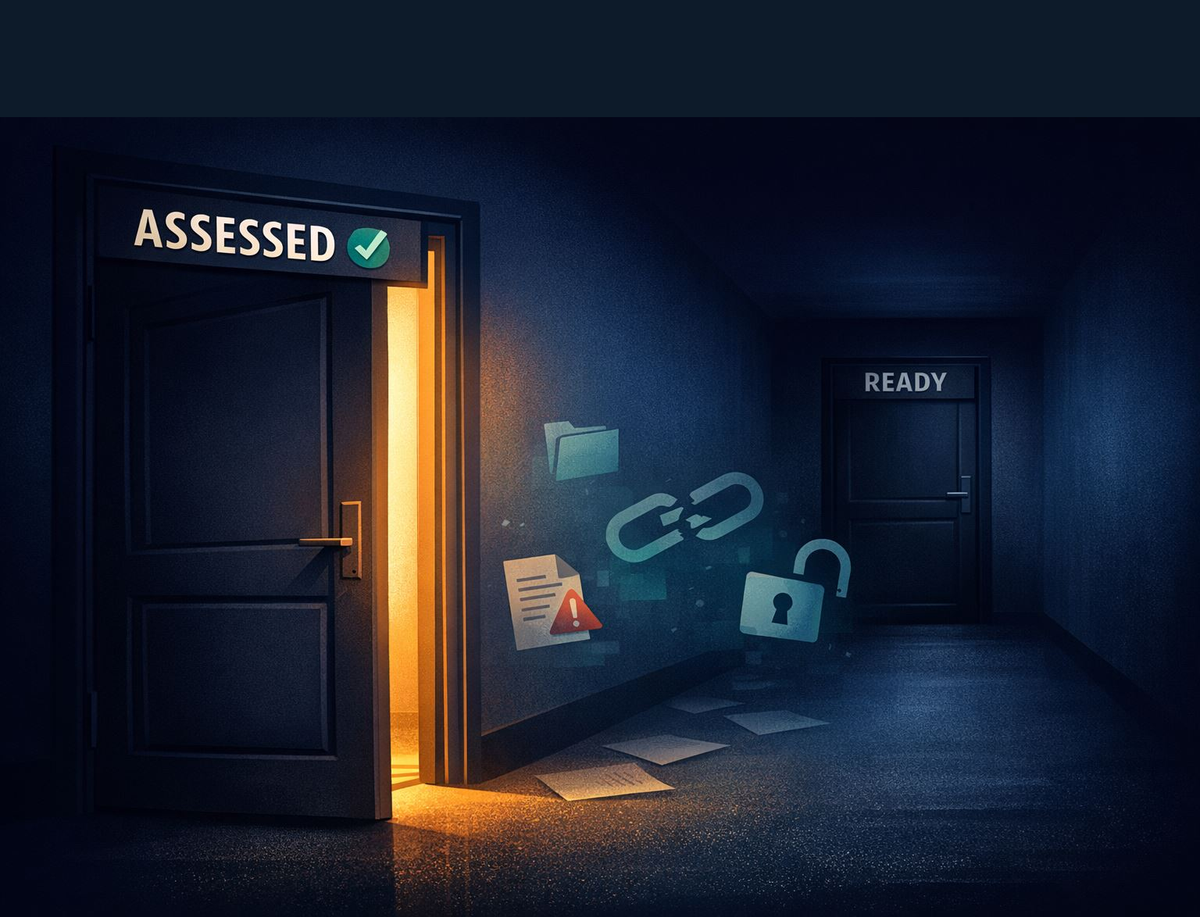
That's not a knock on MSPs. It's the economics of the model. The question is whether you — the IT leader, the governance owner — recognize the gap between "assessed" and "ready."
Because Copilot is going to find everything in that gap. And it's going to surface it to whoever has access.
The fix isn't more assessments. It's owning the governance work that no one is billing for.
This is Issue 3 of "What Vendors Won't Tell You" — a fortnightly newsletter on the Copilot governance gaps that nobody else is writing about.
I'm Chris Wetzel. I spent 18 years on the MSP side before going in-house as an IT Manager. Everything I write comes from both seats.
If this issue was useful, forward it to the person at your org who owns the Copilot rollout. They probably need it more than you do.